The API gives a program access to your content — services, projects, blog, team, testimonials, bookings. It is for connecting your site to something else you already use: an accounting package, an automation, a second site.
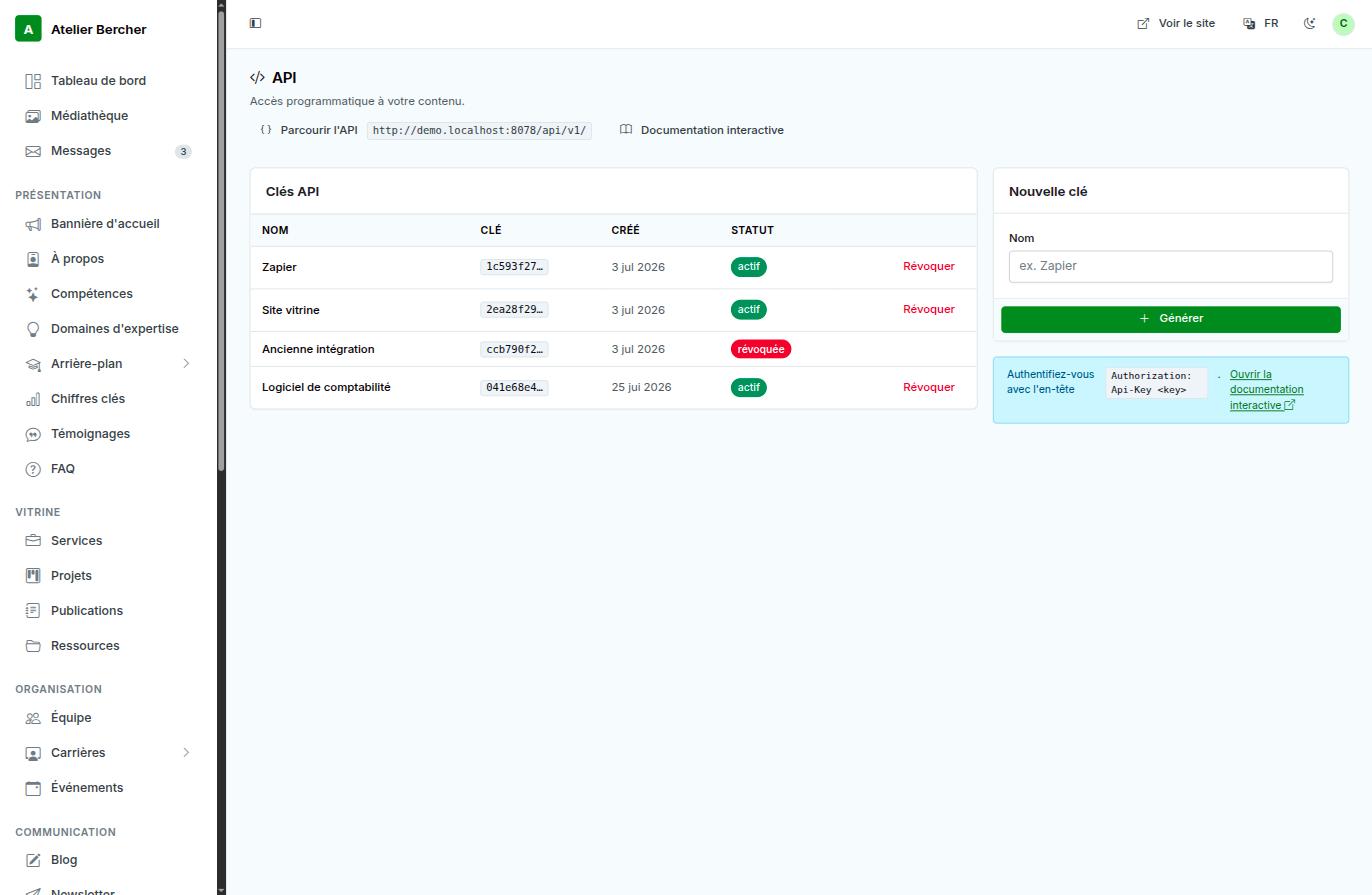
Creating a key
- Give it the name of what will use it — «Zapier», «accounting software». In six months that name is the only thing that will tell you what to revoke.
- Press Generate. Copy the key immediately: it is shown once.
- Your program sends it in a header:
Authorization: Api-Key <key>.
Trying it without writing code
Browse the API opens the endpoints in your browser, and Interactive documentation lists every collection with its filters and its fields. Both are the fastest way to see what you would get back before building anything.
Revoking
Revoke a key the moment the tool that used it is retired, or if it has been pasted somewhere public. Revocation is immediate and does not affect the other keys.
This add-on is genuinely for a minority. If you do not have a program to connect, or someone to write one, it costs 15 CHF a month for a list of keys nobody uses.